 Sample Bot
, the Discord bot
for ER:LC servers
Sessions, staff shifts, moderation and tickets, free. With Plus, a CAD with a live map and AI dispatch you talk to. Add it to your server and type /config to set it up.
- Free to add
- No limits on the free parts
- Set up your server
Used by
 Texas State Roleplay
 Alaska State Roleplay
 Georgia Florida State Roleplay
 Florida Emergency Network
 Los Angeles Roleplay
 Cleveland Roleplay
Fantastic bot, carries our ER:LC community for a cheaper price.
 AlexFounder of Alaska State Roleplay
Tickets
Support that runs itself
Members open a ticket from one panel. It lands with the right staff, closes itself when it goes quiet, and the transcript is saved on the website.
- Ticket types with their own categories and support roles
- Transcripts on the website, for every ticket
- Tickets that close themselves
- With Plus, an assistant answers from your FAQ first
In Discord
How it looks in a real server
These are real posts from Alaska State Roleplay. We changed the members’ names. Alaska has Plus, so the bot uses their name and logo.
Alaska State Roleplay

🗳️Session Vote
@Session Ping
Want a session? Hit the button below. Once we reach the target, it starts automatically.
Progress
6 / 8
Just 2 more votes to go!
Started by @Session Host

Promotion Issued
Promotion ID: #200
Member: @Dylan
Promoted To: @ASRP | Junior Internal Affairs
Promoted By: @Mason
Reason: Has proven professionalism and much more. Well deserved keep it up.
Date: November 5, 2026 6:54 PM

Infraction Issued
Infraction ID: #781
Member: @Jordan
Type: Strike
Issued By: @Mason
Reason: Missed two activity checks in a row while on a warning.
Date: November 5, 2026 6:44 PM

🚨Staff Request (Responding)
Requested By: @Tyler
Reason
8 players in-game, can we get more? Also do your quota, it’s due tomorrow.
Players In-Game: 8/50
Staff On Shift: 0
Requested: 2 minutes ago
✅Responding (4)
@Avery · 2 minutes ago
@Logan · 1 minute ago
@Mason · 1 minute ago
@Riley · just now
🎉Giveaway Ended
Prize: Alaska+
Host: @Tyler
Winners: 3
Required Role: @Alaska Citizen
Ended: just now
Entries: 21
Congratulations @Avery, @Logan and @Riley! You won Alaska+! 🎉
What it does
Everything your server runs on
All of this is free, except the parts marked Plus.
CAD and live map Plus
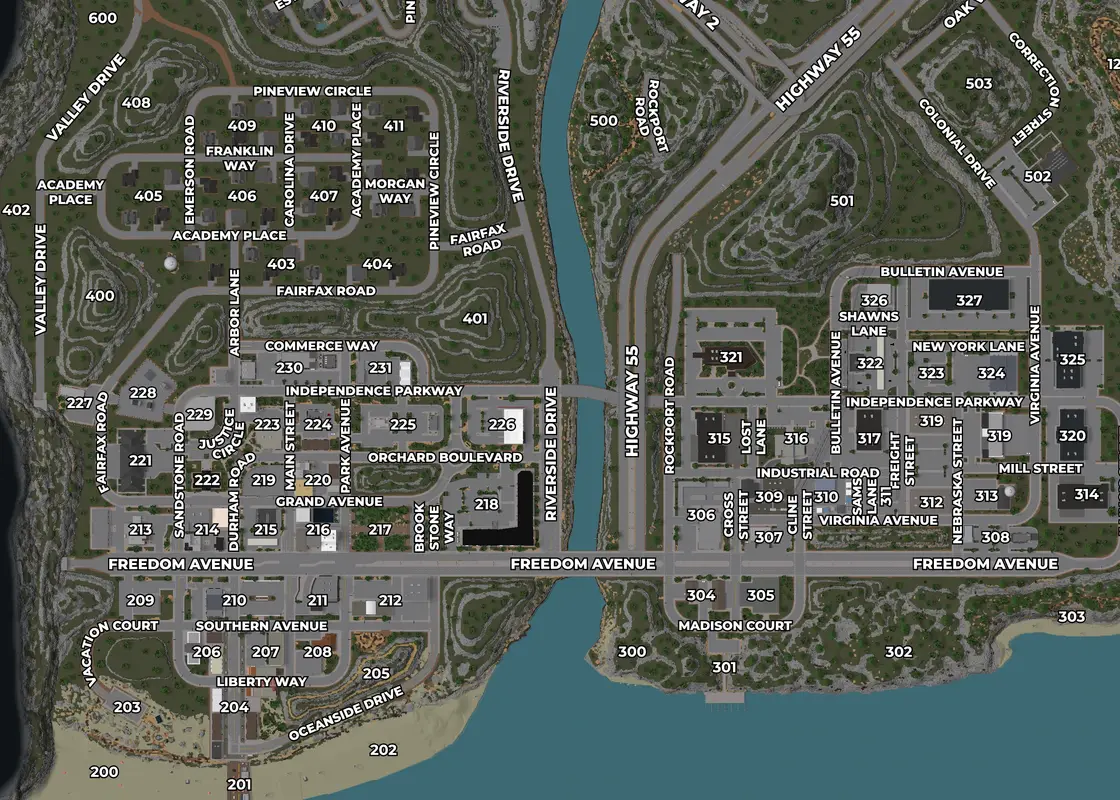
Police, fire, DOT, civilians and dispatch sign in with Discord. You can see every player on the map, and 911 calls show up right away.
AI dispatch Plus
Units press a button and talk to dispatch, and nobody else hears them. It changes their status, runs plates, sends backup and reads out new calls.
Sessions
Members vote for a session. When enough people vote, it starts on its own.
Shifts and quotas
Staff clock in from Discord. The bot checks that they’re actually in game and keeps track of quotas.
Moderation
Warn, kick and ban players from Discord or in game. Everything gets logged.
Applications
Staff applications with sections and questions, reviewed in a private channel.
Roblox verification
Members link their Roblox account, and the bot sets their nickname and roles.
Automations Plus
Make the bot react to the game. For example, post a message when someone calls 911.
Desktop app and bodycams Plus
An overlay over Roblox that reads out calls, a staff voice assistant, and bodycams a server can require while units are on duty.
Free ER:LC tools
A postal map, route planner, report writer, penal code, 10-codes and more. Anyone can use them.
Get started
Ready in three steps
Most servers are set up in a few minutes. If you get stuck, ask us in our Discord.
- 1
Add it to Discord
Pick your server and press Authorize. That is all it takes.
Add to Discord - 2
Set up your server
Type
Set up your server/configin Discord, or open server setup and choose your channels and roles. - 3
Connect ER:LC
Paste your ER:LC server key. With Plus, your units can sign in to the CAD right away.
Open the CAD
Every command works properly. If you’re starting your own ER:LC server and don’t want to have one bot for every small task, only for the cycle to repeat, I really recommend Sample Bot.
 NirxGeorgia Florida State Roleplay
I got this bot when it first came out, I was the first to get Sample+. The devs are super good and always take suggestions of things you want to be able to do for your server. I recommend this!
 CarteeBOwner, Cleveland Roleplay
No words. They have the best customer service and the bot has everything an ER:LC server needs. 10000% recommend to all.
 TravnigOwner, Florida Emergency Network
It is a good app, free to use. It’s just like your own custom bot. It is one of the best bots I’ve used.
 WashOwner, Los Angeles Roleplay
This bot is honestly a life changer. It’s much more cost effective than making a bot yourself. If I could change anything about this bot I wouldn’t, it is genuinely perfect.
 grassAlaska State Roleplay
What is Sample Bot?
Sample Bot (also written SampleBot) is a Discord bot for ER:LC, Emergency Response: Liberty County, a Roblox roleplay game. It runs sessions, staff shifts, moderation, tickets, applications and Roblox verification, and has a CAD with a live map and AI dispatch. It connects to your private server through PRC’s official API.
Does Sample Bot have AI dispatch?
Yes. Units press a button and talk to dispatch in the desktop app or in the CAD on the website, even on a phone. It changes statuses, opens calls, runs plates, sends backup, gives directions and reads out new calls and panics. Nobody else hears you. It is part of Sample Plus+. How AI dispatch works.
Does Sample Bot have a CAD?
Yes. The CAD has terminals for civilians, police, fire, DOT, dispatch and staff, with records, warrants, plates, BOLOs and a live map of every player. 911 calls from the game show up where they were made. It is part of Sample Plus+. What an ER:LC CAD is.
Is Sample Bot free?
Yes. Sessions, session votes, shifts, quotas, moderation, tickets, applications and verification are free in every server, with no limits. Sample Plus+ adds the CAD, AI dispatch, automations, automod and your own bot name and logo, for $4.99 or 1,000 Robux a month, or $50 or 8,000 Robux once, per server.
What is the best ER:LC bot for a realistic server?
We are biased, but Sample Bot was built for strict, realistic roleplay: a CAD with six terminals, 911 calls on a live map, AI dispatch so units talk instead of type, required bodycams, and signing on only while in game. How to choose an ER:LC bot.
Can staff moderate ER:LC from Discord?
Yes. Warns, kicks and bans reach the player in game through the ER:LC API, and every action is logged with a reason. ER:LC moderation.
How do I set it up?
Press Add to Discord, pick your server, then type
/configor open server setup. Paste your ER:LC server key to connect the game. Step by step.
Pricing
Free, or Plus
Most of the bot is free. Plus adds the CAD, automations, and your own name and logo on the bot.
Free
Free forever
- Sessions, shifts and quotas
- Tickets and applications
- Moderation and verification
Plus monthly
For one server. Stop whenever you like.
- CAD and live map
- Automations
- Automod
- Your own bot name and logo
Plus, pay once
For one server. Yours for good.
- Everything in monthly
- Our team sets up your server
- No monthly payments